
Blog

When you’re running a safety consultancy, onboarding new workers with the right health and safety information is non-negotiable. But let’s face it: not every business has the time - or the budget - for complex induction platforms. Especially for small to mid-sized clients, the overhead of setting up full learning systems or standalone induction software can feel more burdensome than helpful. That’s where Hasmatic comes in. Even though the Lite version doesn’t include a dedicated induction module, it provides all the tools you need to deliver and track meaningful inductions for your clients - without the bloat. Let’s break down how. Why Inductions Matter More Than Ever The UK’s Health and Safety at Work Act and ISO 45001 standards emphasize that every worker must be properly inducted before starting a job - especially in construction, manufacturing, logistics, or healthcare environments. An effective induction: Educates workers on job-specific hazards Establishes emergency procedures Introduces PPE requirements Builds a proactive safety culture from day one So how do you help clients tick these boxes with minimal tech setup? A Smarter Workaround: Use What You Already Have in Hasmatic Hasmatic includes several underused features that safety consultants can cleverly repurpose as induction tools: 📄 Upload Induction Content as Policies or Toolbox Talks Instead of building a new module from scratch, simply upload your induction material (PDFs, slides, checklists, etc.) into the Health & Safety Policy Library or Toolbox Talks section . These areas are already designed for education and compliance - perfect for hosting content like: New starter briefings Site-specific hazard training Company safety procedures ✍️ Use Acknowledgement Tracking for Proof of Completion Once uploaded, assign the document to workers or supervisors and require them to acknowledge it using Hasmatic’s built-in feature. This creates a timestamped audit trail showing exactly when someone read and confirmed the induction materials. This approach makes your induction legally defensible - and effortless to manage. 📁 Centralised Document Repository for Always-On Access The Document Repository acts as a secure, cloud-based library where all signed policies and forms are stored. Need to show proof during an audit or HSE inspection? It’s all there - on desktop, mobile, or tablet. Benefits for Consultancies ✅ Streamlined Setup - Avoid configuring a separate induction platform. ✅ Scalable Across Clients - Duplicate your induction packs and apply across multiple sites or teams. ✅ Fully Trackable - Admins can quickly view who’s signed what, and when. ✅ Cost-Efficient - No need for extra induction software or LMS plugins. ✅ Client-Friendly - Ideal for SME clients who need compliance without complexity. Pro Tips for Rolling Out Inductions with Hasmatic 🔸 Keep It Concise : Break content into bite-sized modules using separate policy uploads. 🔸 Set Review Dates : Use Hasmatic’s review reminder feature to ensure material stays current. 🔸 Mobile First : Encourage clients to use tablets or phones for new worker sign-offs in the field. 🔸 Bundle with Toolbox Talks : Combine your induction material with ongoing safety talks for added value. 🔸 Export Reports : Generate acknowledgment logs via Hasmatic’s PDF or CSV reports for client documentation. Conclusion: Inductions Without the Overhead You don’t need complicated software to deliver high-quality inductions. With Hasmatic, health and safety consultants can set up and track effective onboarding workflows - using features already available in the platform. It's not about doing more. It’s about doing smart. Need help configuring your client’s induction process in Hasmatic? Explore our Document Management features or contact our onboarding team to get started. #SafetyInductionUK #EHSConsultancyTools #Hasmatic #HSEComplianceUK #HealthAndSafetySoftware #InductionWorkarounds #SafetyManagementForConsultants

For health and safety consultants, time is precious—and clarity is everything. Whether you're working with SMEs in construction, logistics, healthcare, or manufacturing, your clients depend on you to help them stay compliant and avoid regulatory trouble. But with multiple sites, dozens of users, and ever-growing document requirements, even the most organized teams can fall behind. That’s where default compliance dashboards in Hasmatic come in—not as flashy widgets or overcomplicated charts, but as a focused, practical tool that helps you and your clients monitor the essentials that matter most. The Power of a Simple Compliance Overview Unlike enterprise-grade tools that overwhelm with customization, Hasmatic offers a streamlined dashboard designed specifically for consultancies managing small to mid-sized safety operations. You don’t need to be a data scientist to understand it. One glance tells you: Which safety forms are overdue Who hasn’t signed off on key documents What’s slipping through the cracks This means you can catch issues early, flag risks, and provide your clients with tangible , trackable proof of compliance health—all without digging through emails or spreadsheets. ✅ Learn more about the built-in dashboards in Hasmatic Flag Issues Before They Escalate Imagine you're supporting a logistics company managing 5 warehouses. You've uploaded toolbox talks, assigned PPE, and issued RAMS documents. But unless you know who has and hasn’t signed what - or whether inspections are completed—you're in the dark. Default dashboards give you that instant visibility. You’ll know when: A site has multiple missed inspections A new starter hasn’t reviewed the safety policy A repeat near-miss hasn’t been followed up These insights help you proactively reach out to clients and support them before a minor lapse turns into an HSE citation or incident. Built for Consultancies Like Yours Hasmatic was designed with health and safety consultants in mind. Whether you're a solo practitioner or part of a growing consultancy team, the platform allows you to: Manage multiple client sites from a single admin dashboard Track signatures and acknowledgements for toolbox talks and safety policies Submit and oversee incident reports Record competence levels and assign assets Export scheduled reports in PDF or CSV for client meetings and audits 🔍 Explore full Hasmatic features here And the best part? Unlimited free viewer users means you can involve every worker, without bloating your client's subscription. What Your Clients See = What They Trust Your clients are visual. When you can show them a dashboard highlighting 97% form completion or flag a 3-day lapse on inspections, you're not just ticking boxes. You're demonstrating real value. These dashboards become a silent marketing tool - one you can present during audits, monthly reviews, or sales pitches to prospective clients. Final Thoughts: Compliance Shouldn’t Be Complicated Not every consultancy needs complex, automated dashboards or integrations. Sometimes, what works best is clarity, focus, and ease of access . That’s exactly what Hasmatic delivers with its default dashboards. By helping clients stay on top of their responsibilities, you're not just preventing risk - you’re building lasting trust. Ready to Simplify Compliance Oversight? If you're a safety consultancy looking for a system that doesn’t overwhelm , but still delivers key compliance insights, Hasmatic is built for you. 👉 Start with Hasmatic today and give your clients the clarity they need to stay ahead of risk. #SafetyManagementSystem #HealthAndSafetySoftware #ComplianceDashboard #EHSConsultingUK #WorkplaceSafetyUK #SMEComplianceTools #Hasmatic
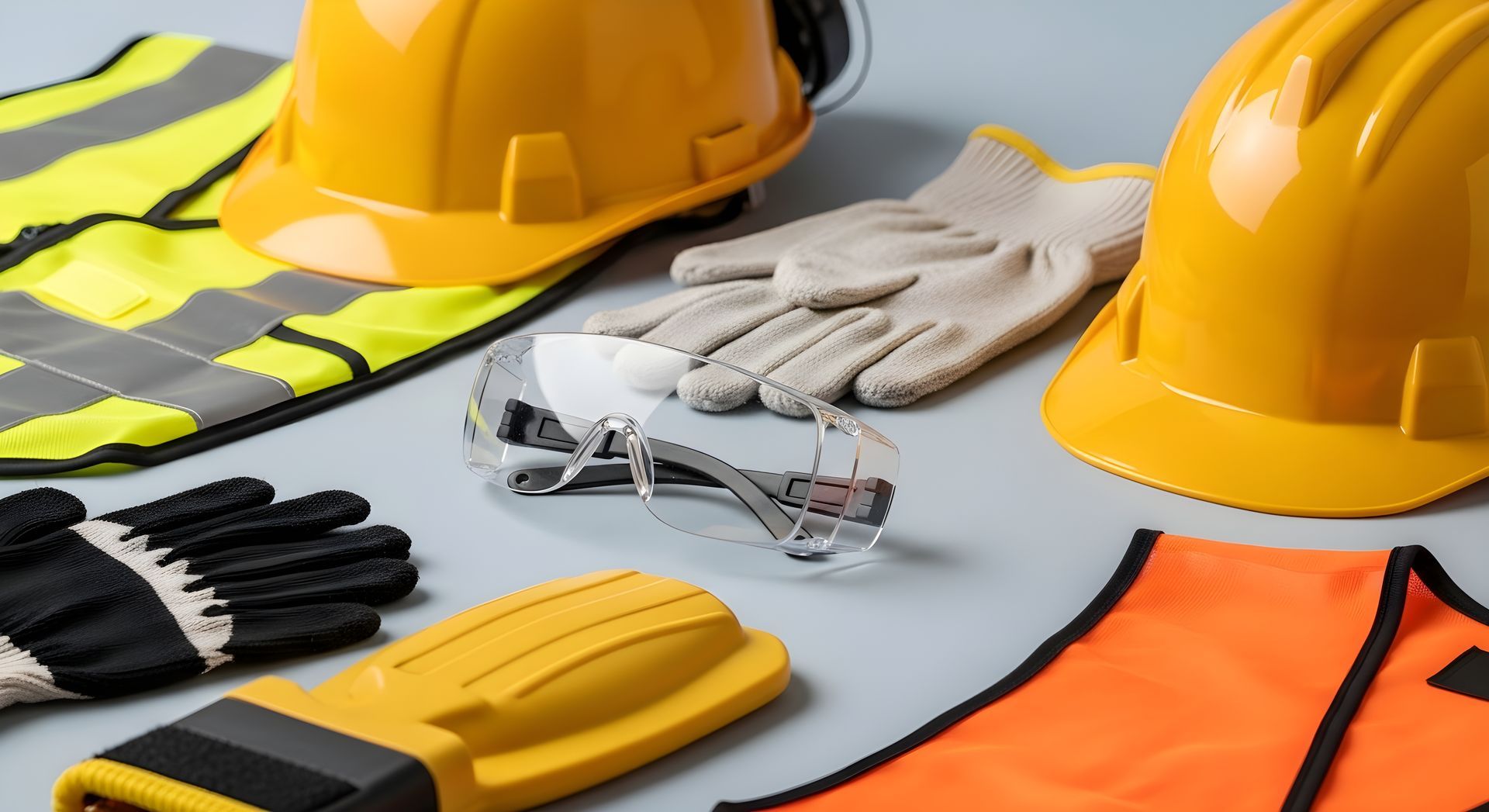
When it comes to health and safety, PPE (Personal Protective Equipment) is one of the most visible - and most regulated - compliance factors on any worksite. But for safety consultants supporting clients across construction, logistics, healthcare, or manufacturing, the challenge isn’t just ensuring the right gear is provided. It’s about proving that it was issued, assigned, and acknowledged - clearly and compliantly. That’s where Hasmatic steps in. Forget bloated asset management platforms or expensive inventory software. If you're a consultancy focused on helping clients meet health and safety standards in a lean, efficient way, Hasmatic's manual PPE assignment feature offers the perfect balance of simplicity and accountability. 🧰 Why PPE Tracking Still Matters - Even Without Full Lifecycle Tools Let’s be clear - Hasmatic isn’t a full-blown asset management system. You won’t be tracking barcode scans or monitoring PPE depreciation. What you will get is a practical way to: Log PPE issued to staff or subcontractors Assign items per user or project Maintain a simple digital trail of who received what, and when That’s more than enough to tick key boxes for site audits, HSE inspections, or internal reporting. And because it’s built for consultants managing multiple clients, there’s no added complexity. 🧾 A PPE Log That Works for Site Managers, Subcontractors, and Auditors Think about this scenario: you're supporting a client on a temporary project. Workers come and go. You need to show that: PPE was issued at the right time It was the correct type for the job The individual acknowledged receipt Hasmatic lets you manually assign PPE and store those assignments under the relevant user. It takes minutes to update and creates a digital record that’s accessible to admins and view-only users (like site managers or external auditors). 💡 Bonus tip: Pair PPE logs with Safety Document Acknowledgement features in Hasmatic to create a fully documented PPE issuance flow - without any paper trail. 🔍 Consultants Love This Because: You’re not locked into a rigid system - assign gear as needed, when needed. You keep proof of compliance without needing complex integrations. You maintain client trust by showing transparent, accessible records. You reduce risk - a logged PPE trail can protect against legal claims if injuries occur. 📦 What’s Included in Hasmatic: For PPE tracking and basic asset control, Hasmatic gives consultants access to: Manual PPE Assignment to employees or contractors Asset inspection form creation (for any safety equipment) Centralised document storage for training records, policies, and signed acknowledgements Audit trail logs for changes or assignments Want to see all features tailored for health & safety consultancies? Explore Hasmatic 🔄 Pair It with Your Consultancy Workflow Use PPE tracking as part of your core service to clients: During new project onboarding When reviewing site readiness As part of safety audits or annual compliance checks For demonstrating ISO 45001 or HSE compliance And because Hasmatic includes unlimited free viewers , you can grant clients and stakeholders access to view PPE assignments - without ever charging extra or juggling file versions. 🎯 Final Thought Hasmatic doesn’t pretend to do everything - and that’s exactly why safety consultancies love it. If you're supporting growing SMEs or short-term projects, you don’t need complex PPE inventory systems. You just need a reliable way to track, assign, and prove safety gear was issued. Simple. Digital. Compliant. That’s Hasmatic. #PPECompliance #HealthAndSafetyConsultant #Hasmatic #SafetySoftwareUK #EHSSoftware #PPETracking #ComplianceMadeSimple

In the world of health and safety consultancy, there’s one phrase that’s become a standard part of the job: “Have you delivered your toolbox talks this week?” These short, focused safety briefings are a cornerstone of workplace risk prevention - but managing them across multiple client sites, with varied teams and shifting priorities, can be a logistical nightmare. That’s where Hasmatic steps in. Designed specifically for health and safety consultants who support small to mid-sized businesses, Hasmatic brings structure and simplicity to toolbox talk delivery - without the overhead or complexity of enterprise systems. 📚 What Are Toolbox Talks and Why Do They Matter? Toolbox talks are informal, short safety meetings held before the start of a work shift or job. Topics vary - from working at heights, manual handling, to weather-related hazards - and their effectiveness relies on two things: Consistency (they’re delivered regularly) Accountability (there’s proof that they happened) Unfortunately, many consultants still rely on paper-based sign-ins , spreadsheets, or disconnected PDFs - which means missed reviews, poor version control, and limited audit value. ✅ How Hasmatic Makes Toolbox Talks More Manageable Hasmatic isn’t a bloated software suite. It’s a focused, cloud-based platform that provides everything a consultant needs to digitally deliver, track, and archive toolbox talks for multiple clients. Here’s how: 1. Pre-Built Toolbox Talk Library Access a curated library of toolbox talks and H&S policies - many of which are aligned with CQMS and UK regulatory requirements. You can use them as-is or upload your own content tailored to client needs. 2. Viewer Access for All Site Staff Client staff don’t need paid accounts to access the content. With unlimited free viewers, your toolbox talks can reach everyone - from site workers to office-based staff - without friction or added cost. 3. Digital Acknowledgements Once a toolbox talk is issued, workers can review the material and digitally sign it - providing timestamped proof of engagement. This replaces manual signatures and lets consultants generate clean audit-ready reports in a click. 4. Reminder & Review Tools Set reminders for clients to revisit certain topics monthly, seasonally, or after near-miss incidents. These soft nudges help ensure that safety communication isn’t a one-time effort but part of an ongoing culture of awareness. 5. Exportable Reports Hasmatic allows you to download CSV or PDF reports of toolbox talk engagement. This is perfect for: Client-facing reports during monthly reviews Internal consultancy dashboards to track delivery Evidence for ISO 45001 or NEBOSH audits 💡 Consultant-Led Ideas to Enhance Client Engagement If you’re a safety consultant looking to keep your clients engaged and compliant , here are some creative ways to use Hasmatic’s toolbox features: Monthly Campaigns: Pick a topic of the month (e.g., “Preventing Trips in Autumn”) and assign it across all your client sites with a standard review date. Seasonal Themes: Align toolbox talks with industry trends - like working in extreme heat or preparing for winter slips. After-Action Reinforcement: Following a near-miss report, assign a follow-up toolbox talk and use viewer data to confirm site engagement. Client Leaderboards: Highlight which sites or departments have the highest completion rates and use this in your reporting to encourage internal competition. 🛠️ Why Hasmatic Is Built for Safety Consultants Hasmatic isn’t trying to replace your professional judgment or site expertise. Instead, it gives you a structured digital toolkit to : Deliver consistent safety messages Track who’s seen and acknowledged them Create audit-ready documentation without extra admin work With no digital workflows or smart dashboards , what you get is something even better: a clear, focused safety delivery system that puts you in control. 🧭 Final Thoughts For consultants managing multiple clients across industries - construction, logistics, manufacturing, healthcare - digitising toolbox talks isn’t a luxury anymore. It’s a necessity. With Hasmatic, you can scale your services, increase client satisfaction, and build a safety culture that’s consistent, accountable, and audit-proof. #SafetyConsultantsUK #ToolboxTalksDigital #HSEComplianceSoftware #WorkplaceSafetyUK #ConstructionSafetyUK #EHSConsultingTools #Hasmatic

In the fast-moving world of health and safety consultancy, every minute matters - and every document counts. Whether you're advising a busy construction firm, overseeing compliance for a manufacturing site, or guiding a logistics client through ISO 45001 readiness, there’s one document that stands at the heart of operational safety: RAMS (Risk Assessment and Method Statement). Traditionally, RAMS have been time-consuming. Drafted, printed, distributed, signed, scanned, and finally archived - only to repeat the same process for the next job or client. But what if that entire workflow could be simplified, digitised, and made instantly shareable? That’s exactly what Hasmatic delivers to safety consultants across the UK. 💡 What Are RAMS, and Why Are They So Important? RAMS are required by UK law for high-risk activities. They combine detailed risk assessments with step-by-step method statements , outlining how work will be carried out safely. According to the Health and Safety Executive (HSE), employers and contractors must provide clear, written instructions on managing site-specific hazards - especially in industries like construction, manufacturing, and logistics. For safety consultants, RAMS aren't just paperwork. They're your proof of professional value, your shield in audits, and your frontline tool in incident prevention. 📥 The Old Way vs. The Hasmatic Way The old way: Draft RAMS on desktop Print and distribute to client or contractors Chase wet signatures Scan back in for digital storage Manually log who signed what and when The Hasmatic way: Upload your existing PDF RAMS directly into the platform Assign users for digital acknowledgment Track sign-offs automatically with built-in audit logs Access documents anytime, on any device In short, you retain full control, save time, and stay audit-ready - without paying for full automation you might not need. 🔐 Why Digital Sign-Offs Matter for Consultants You’re not just checking boxes. You’re advising clients on how to stay compliant with: ISO 45001 documentation standards NEBOSH best practices The Health and Safety at Work Act 1974 Industry-specific protocols like COSHH or site inductions By using Hasmatic’s PDF RAMS Upload + Acknowledgment Workflow , you can prove that RAMS have been received, reviewed, and signed off - digitally. That’s a win for both compliance and professionalism. 🚧 Use Case: The Consultant on the Go Imagine this: You’re preparing a RAMS document for a subcontractor who’s due on-site tomorrow. Instead of sending PDFs via email and waiting for manual replies: You upload the RAMS file to Hasmatic. Assign it to the relevant operatives or client contacts. They receive a notification, open the document, and digitally sign to acknowledge. You now have a timestamped log - ready for any HSE visit or client audit. All without printing a single page or chasing down a signature. 📊 What Makes Hasmatic Ideal for Safety Consultancies? Unlike bloated enterprise systems, Hasmatic is designed with consultants in mind. You get: Unlimited view-only level access for clients and team members A centralised document repository for RAMS, policies, toolbox talks Audit trail logging to track every interaction Mobile-friendly access - perfect for consultants in the field All of this, without the complexity or cost of a full enterprise upgrade. ✅ Key Benefits for Your Consultancy

When you're managing safety for multiple clients, tools can quickly become your biggest headache. A spreadsheet here, a paper logbook there, a PDF template saved somewhere in a download folder... Before you know it, you're chasing signatures, digging through half-filled logs, and struggling to present clean documentation for audits or inspections. For health and safety consultants juggling site visits across industries - construction, manufacturing, logistics - Hasmatic offers a clean, simple solution: a built-in sign-in/out feature that removes the need for third-party tools and scattered templates. Let’s walk through why this is more than just a digital convenience - it’s a strategic win for consultancies. 📋 The Problem: Too Many Tools, Not Enough Time Consultants are often handed logbooks, spreadsheets, or DIY forms to track daily site visitors, contractors, or fire drill participation. While these tools technically work, they create three key issues: Lack of consistency across clients Increased risk of incomplete or lost records Time wasted consolidating data for reports or audits Now imagine trying to prepare a client's fire safety report for a last-minute HSE inspection. If half your data is on paper, the rest buried in someone’s inbox - you’re in trouble. ✅ The Solution: Built-In Sign-In/Out Logging with Hasmatic With Hasmatic , consultants can ditch fragmented tools. The Sign-In/Out feature is: Cloud-based (accessible from mobile, tablet, or desktop) Client-ready with timestamped entries Audit-friendly, with exportable logs No extra cost per visitor or worker - only admin seats are paid Your clients’ staff, visitors, and subcontractors can sign in and out seamlessly. For you, that means instant visibility and reliable records - without maintaining separate forms or software. 🔥 Real-World Use Case: Fire Drill Logs That Just Work Fire drills are a vital part of any safety regime - but they’re also easy to fumble without a plan. With Hasmatic: You track who’s signed in before the drill You log the evacuation time You can verify that everyone signed out safely This kind of tracking supports compliance with: Health and Safety at Work Act 1974 The Regulatory Reform (Fire Safety) Order 2005 It's not just a checkbox - it’s accountability on record. 👷 Visitor Logging Across Client Sites Whether your clients operate busy construction zones or restricted manufacturing floors, having a digital visitor log gives you and your clients: A real-time list of who’s on-site Emergency-ready headcount data Clear evidence for contractor compliance You can even use it to check site access patterns, review entry times, or assist with incident investigations. 💼 Why This Matters for Consultancies Hasmatic is designed for lean health & safety teams who need to: Serve multiple clients with minimal admin effort Provide standardised documentation across projects Be audit-ready at a moment’s notice Using the built-in sign-in/out tool means: No extra systems to maintain No lost records No friction when demonstrating compliance Your clients can access logs themselves - without needing to buy additional seats. 🧠 Pro Tip: Use Reports to Show Value With the logs collected, you can generate PDF or CSV reports to: Include in monthly safety summaries Present during client audits Share fire drill participation stats This becomes proof of value - a subtle but powerful way to reinforce why clients continue working with you. #HealthAndSafetySoftware #EHSComplianceUK #SafetyConsultants #WorksiteCompliance #VisitorLogging #FireDrillManagement #Hasmatic

In the world of health and safety consultancies, simplicity is a competitive advantage. When your job is to juggle site inspections, manage documents, and keep multiple clients audit-ready, the last thing you need is to get buried in a maze of permissions and system admin settings. That's why Hasmatic’s role-based access is intentionally simple: Admin and Viewer . That’s it - and that’s all you need. Let’s unpack how this uncomplicated structure delivers exactly what consultants need: control, collaboration, and client clarity. The Problem with Complex Access Control Systems Most health & safety software platforms are built for sprawling corporate ecosystems with multiple departments, IT teams, and security layers. And while those tools have their place, small to mid-sized consultancies often find themselves drowning in complexity: Too many user roles to configure Endless permission toggles Risk of clients editing critical compliance data Time wasted on onboarding and admin In short, too much software, not enough support . The Hasmatic Approach: Two Roles, Total Coverage With Hasmatic , every team member falls into one of two roles:

If you're a health and safety consultancy, chances are you've had that call - your client is facing a surprise audit, and they need every inspection log, incident report, and compliance record you’ve helped them manage. Yesterday. With Hasmatic, you won’t have to scramble. Our scheduled reporting tools are built specifically to help consultancies like yours keep clients consistently prepared - whether it's for an internal review, a site visit from the HSE, or proving ISO 45001 readiness. 💡 Why "Audit-Ready" Should Be a Consultancy Value Proposition Health and safety audits in the UK aren't just procedural - they're a reflection of a company’s operational integrity. Whether it's a legal obligation under the Health and Safety at Work Act 1974, or a voluntary move towards ISO 45001 certification, your clients depend on you to maintain compliance momentum. The problem? Most companies don't have the systems - or time - to keep everything properly documented and up to date. That's where Hasmatic gives consultancies the edge. 📊 What Scheduled Reports Do (and Why They Matter) With Hasmatic, you can automatically generate and schedule key reports such as: Incident and near-miss logs Inspection reports and checklists Form completion summaries Overdue compliance forms Signed document acknowledgements Whether exported as PDF or CSV, these reports give your clients a digestible, professional output they can forward directly to auditors or keep on file for their own reviews. You no longer need to export reports manually at the last minute - or worse, dig through old paper records. 🧩 How It Works for Consultancies Let’s say you're managing multiple clients across construction, logistics, or healthcare. Here's how Hasmatic’s scheduled reports support your daily consultancy rhythm: Set Up Recurring Reports Choose a frequency - weekly, monthly, or custom - to automatically email or download essential audit documentation. Customize by Client Site or Department Filter the reports by site location or safety form type to tailor what each client receives. Build an Audit-Ready Habit Make report delivery part of your service package - monthly reports demonstrate continuous compliance and keep clients engaged. Use Reports as a Marketing Tool Show prospects how your existing clients are always "audit-ready" thanks to your consulting workflows backed by Hasmatic. ✅ Bonus: A Simple Audit Readiness Checklist Include these in your next Worksmatic report run to keep your clients covered: ✔️ Latest Incident and Near-Miss Logs ✔️ Recently Completed Inspections ✔️ Outstanding Forms or Acknowledgements ✔️ PPE Assignments and Asset Checks ✔️ Policy Sign-Off Records Hasmatic gives you everything you need to deliver professional, actionable data - without a Pro-tier price tag. 🚀 Add Strategic Value with Every Report Being proactive about audit readiness not only improves your clients’ outcomes - it strengthens your value as a consultancy. With Hasmatic , you’re not just checking boxes; you're delivering peace of mind, credibility, and ongoing compliance assurance. And the best part? It doesn’t require complicated dashboards or automation - just smart use of tools already built into the platform. #HealthAndSafetySoftware #AuditReady #EHSComplianceUK #SafetyConsultantsUK #HSEAuditTools #ComplianceReporting #Hasmatic

When it comes to workplace safety, reporting incidents isn't just about ticking boxes—it's about proving your clients are taking safety seriously. For health and safety consultancies, especially those managing multiple SMEs in the UK, helping clients capture and act on incident data can be the difference between reactive compliance and a proactive safety culture. With Hasmatic , consultancies now have a lightweight yet powerful way to digitise incident reporting and turn every logged report into a tool for building trust, improving accountability, and staying audit-ready. ⚖️ Why Incident Reporting Is More Than a Legal Obligation Under RIDDOR (Reporting of Injuries, Diseases and Dangerous Occurrences Regulations 2013) , UK businesses must report serious incidents to the HSE. This includes: Workplace injuries Near-miss events Dangerous occurrences Failure to comply can result in enforcement notices or fines. But many businesses - especially smaller firms - still rely on paper-based reporting, or worse, informal verbal accounts that get forgotten. This opens up massive compliance gaps. As a consultant, your role is to ensure those gaps are closed - and that your clients are ready to back up their safety claims with data . 🔗 HSE Guide to Reporting Accidents at Work 🤝 Building Client Confidence with Every Logged Report Whether you're working with construction contractors, logistics teams, or manufacturing SMEs, helping clients maintain a clear record of incidents and near misses reinforces: Transparency with internal stakeholders Responsibility to regulatory bodies A genuine culture of continuous improvement When clients can show their diligence - not just say it - they win the trust of insurers, auditors, and even potential customers. As an H&S consultant, providing them with this visibility becomes part of your value proposition . 📲 How Hasmatic Supports Simple, Compliant Incident Reporting Hasmatic was built with consultants in mind. Using the platform, you can guide your clients through: Submitting digital incident & near-miss reports (no more chasing paper forms) Assigning basic follow-up actions (so events don’t vanish into an inbox) Maintaining a log of submitted forms, complete with audit trails These features are built into the Lite version—no extra plugins, no complex dashboards. ✅ Example use case : You assist a client with a near-miss report on a construction site. Within minutes, the supervisor submits it via tablet. You help flag it for follow-up. At the next client audit, that report becomes a story of proactive risk management. 📋 During Audits, Documentation is Everything In the event of: An internal compliance review A surprise HSE inspection A legal claim your clients need to show their due diligence - and you need to show your guidance made a difference. Incident reports logged via Hasmatic provide a timestamped, secure digital trail . And with basic follow-up notes included, it’s easy to show that actions were taken - not just recorded. 📂 Pair this with Hasmatic’s scheduled PDF/CSV exports , and your consultancy becomes the one that’s always one step ahead. 🔁 Consultants Aren’t Just Reporting - They’re Coaching Your role goes beyond admin. When you help clients review their incident trends, recommend improvements, and create awareness around near misses, you're not just maintaining compliance - you're actively reducing future risk. This positions you not only as a compliance partner, but a trusted safety advisor. 🎯 Final Thoughts: Logging Incidents is a Business Asset If you're a consultancy juggling multiple SME clients, helping them move from manual processes to structured, shareable safety data is a service worth shouting about. Hasmatic helps make that shift painless—with no complexity, just the essentials you need. #IncidentReportingSoftware #HealthAndSafetyConsultant #Hasmatic #ComplianceManagementUK #NearMissReporting #EHSforSMEs #AuditReadySafety

Tired of chasing down safety files, outdated PDFs, or lost toolbox talks? If you’re a health and safety consultant juggling multiple clients, you know that document management can quickly spiral into chaos. Between RAMS files, toolbox talks, policies, and audit checklists - keeping everything up-to-date and easily accessible for clients and site teams is more than a nice-to-have. It’s essential. That’s where Hasmatic comes in. Designed specifically for health and safety consultancies, Hasmatic offers a streamlined, centralised Document Repository that makes managing client documentation not only easy - but compliant. 📂 Why Centralisation Matters More Than Ever According to the UK’s Health and Safety Executive (HSE) , a lack of proper documentation is one of the leading reasons businesses fall short in compliance inspections. If you’re a consultant, your clients rely on you to ensure: Safety policies are accessible to their teams. Key documents are reviewed and acknowledged regularly. Historical versions are properly logged and not misused. With traditional systems - Google Drive folders, emailed files, or paper binders - this level of control and visibility is almost impossible to maintain. Centralised documentation isn’t just a feature - it’s your professional safeguard. ✅ Hasmatic’s Centralised Document Repository: What It Offers With Hasmatic, you can: Upload and categorise key safety documents (e.g., Health & Safety Policy, RAMS, toolbox talks, training manuals). Assign documents to your clients' team members (even viewer-only users). Track acknowledgements, so you know exactly who’s seen what - and when. Set review reminders, keeping everyone on top of periodic policy updates. Store all files securely in one central hub with role-based access. No more scattered folders, lost sign-offs, or outdated policy versions in circulation. 💡 Bonus : Unlike many competitors, Hasmatic includes unlimited free viewer access - ideal for consultancies working with multiple teams or subcontractors. 🚧 Real-Life Consultancy Use Case Let’s say you’re working with a construction firm managing multiple active sites. Each site has its own foreman, subcontractors, and crew turnover. Every time a new safety bulletin is issued or a toolbox talk needs review, you’d typically: Send an email Hope it’s forwarded to the right people Trust that someone prints, signs, and scans it back Now imagine this instead: You upload the document once in Hasmatic → Assign it to all relevant team members → They log in, view, and acknowledge → You track everything from your dashboard. No back-and-forth. No missing files. Full visibility. 🧠 More Than Storage: A Strategic Asset Consultants who offer document centralisation aren't just meeting requirements - they’re offering a premium client experience . This can: Differentiate your service offering from other consultancies Help secure more long-term contracts Build client trust during surprise inspections or audits By integrating Hasmatic’s document tools into your offering, you turn administration into a value-driven process . 🔄 What About Version Control? With everything stored in one central location, version confusion is eliminated. When you upload an updated safety procedure or RAMS document: Previous versions are archived You can control who sees the new version Acknowledgement resets so clients can reconfirm with the latest version That’s exactly the kind of process HSE inspectors love to see. 🔐 Data Security Meets Simplicity Hasmatic is cloud-based and multi-device friendly , meaning your clients can access their documents from anywhere - whether it’s a site foreman on a mobile or a manager on desktop. Admins (you) control the access, ensuring sensitive files aren’t floating around on unsecured channels. 📌 Final Thoughts If you’re serious about scaling your consultancy, delivering high-value services, and staying audit-ready, centralised document management isn’t optional - it’s critical. Hasmatic gives you the tools to manage multiple clients’ documentation needs without the complexity (or cost) of enterprise platforms. #SafetyComplianceSoftware #EHSUK #HealthAndSafetyConsultant #DocumentManagementSystem #WorkplaceSafetyUK #ConstructionCompliance #Hasmatic
